
Appearance
Usage
Overview
The Usage page provides a comprehensive view of document processing activity, credit consumption, user engagement, and module performance within Regoxa.
It helps users monitor resource utilization, analyze processing trends, manage credit requests, and generate usage reports for operational tracking and planning.
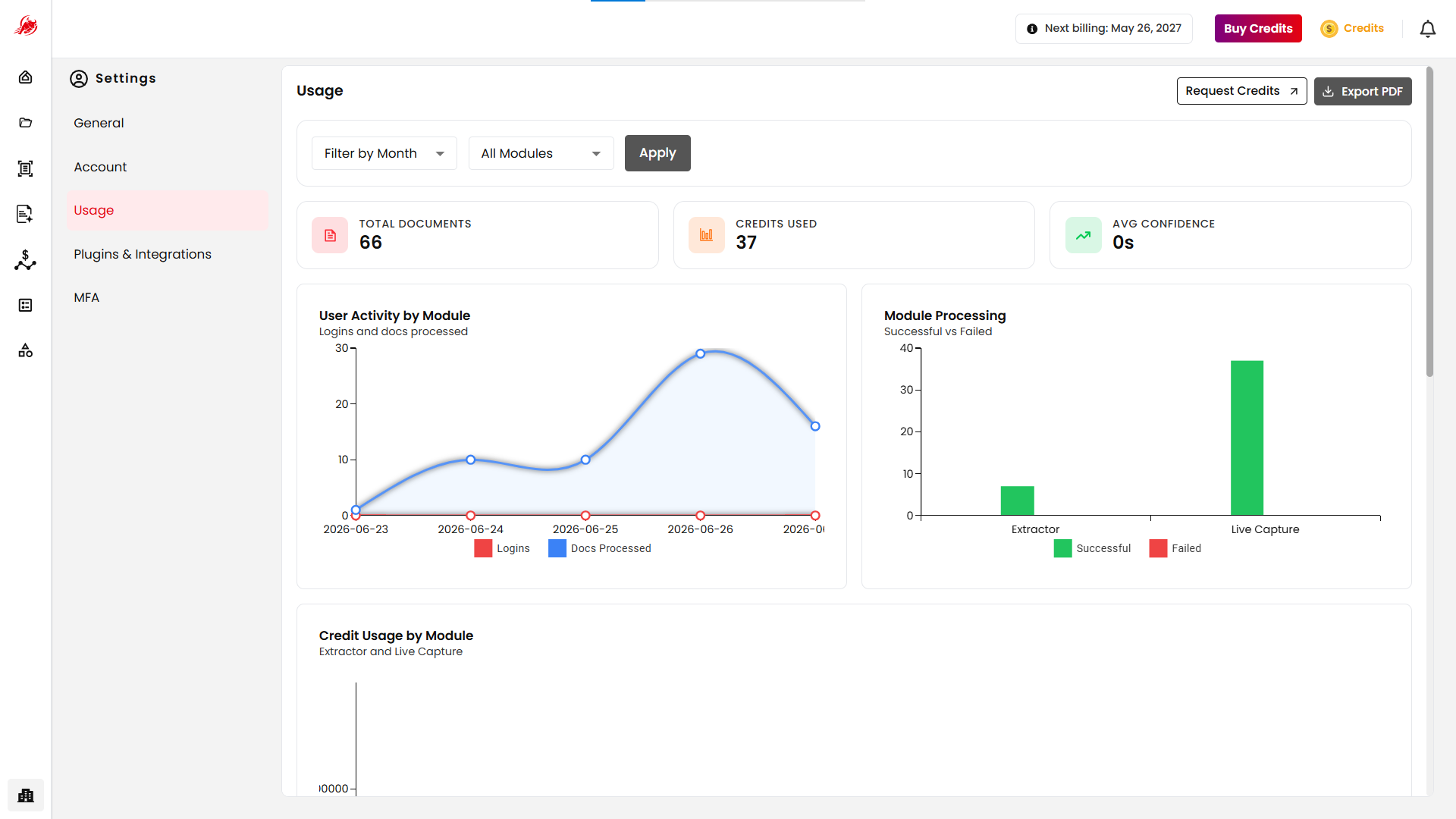
Usage Filters Section
The dashboard includes filtering options that allow users to analyze usage data for a specific period and module.
Date Range
Select a start date and end date to view activity within a specific timeframe.
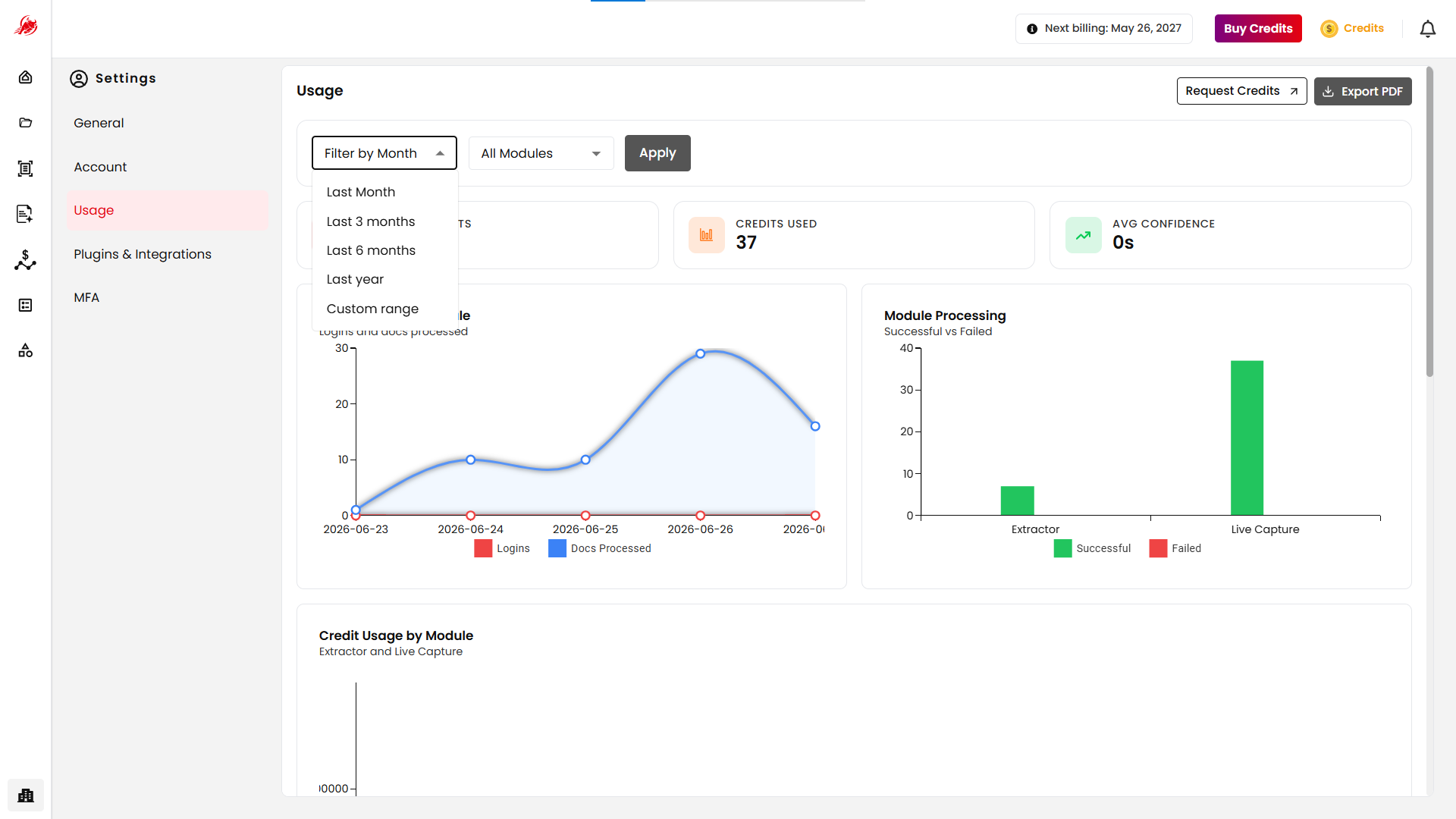
Module Selection
Usage data can be filtered by module, including:
- Extractor
- Mercury
- Spend Analyser
- Live Capture
Users can also select All Modules to view consolidated usage statistics across the platform.
After selecting the required filters, click Apply to refresh the dashboard.
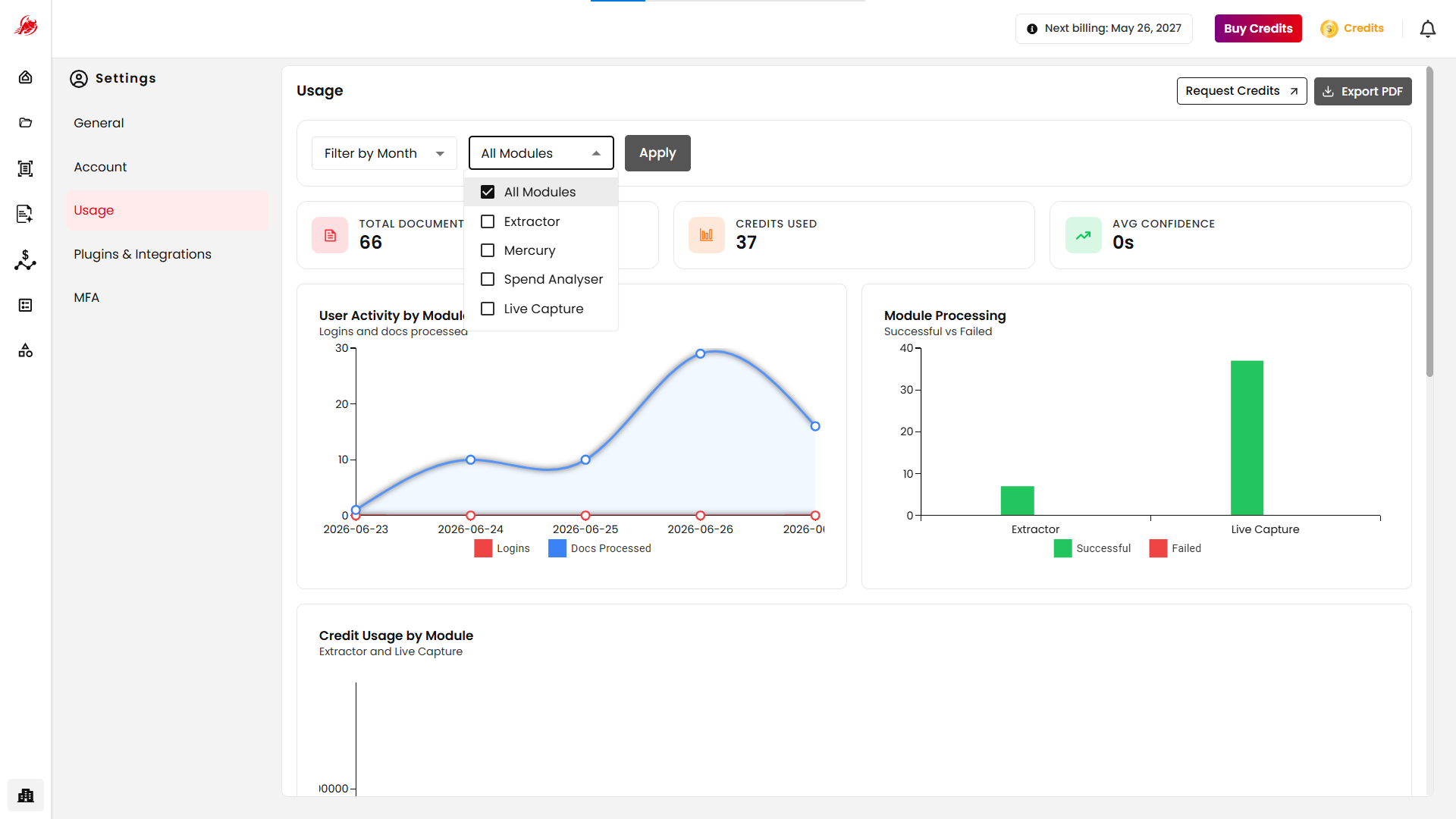
Usage Summary
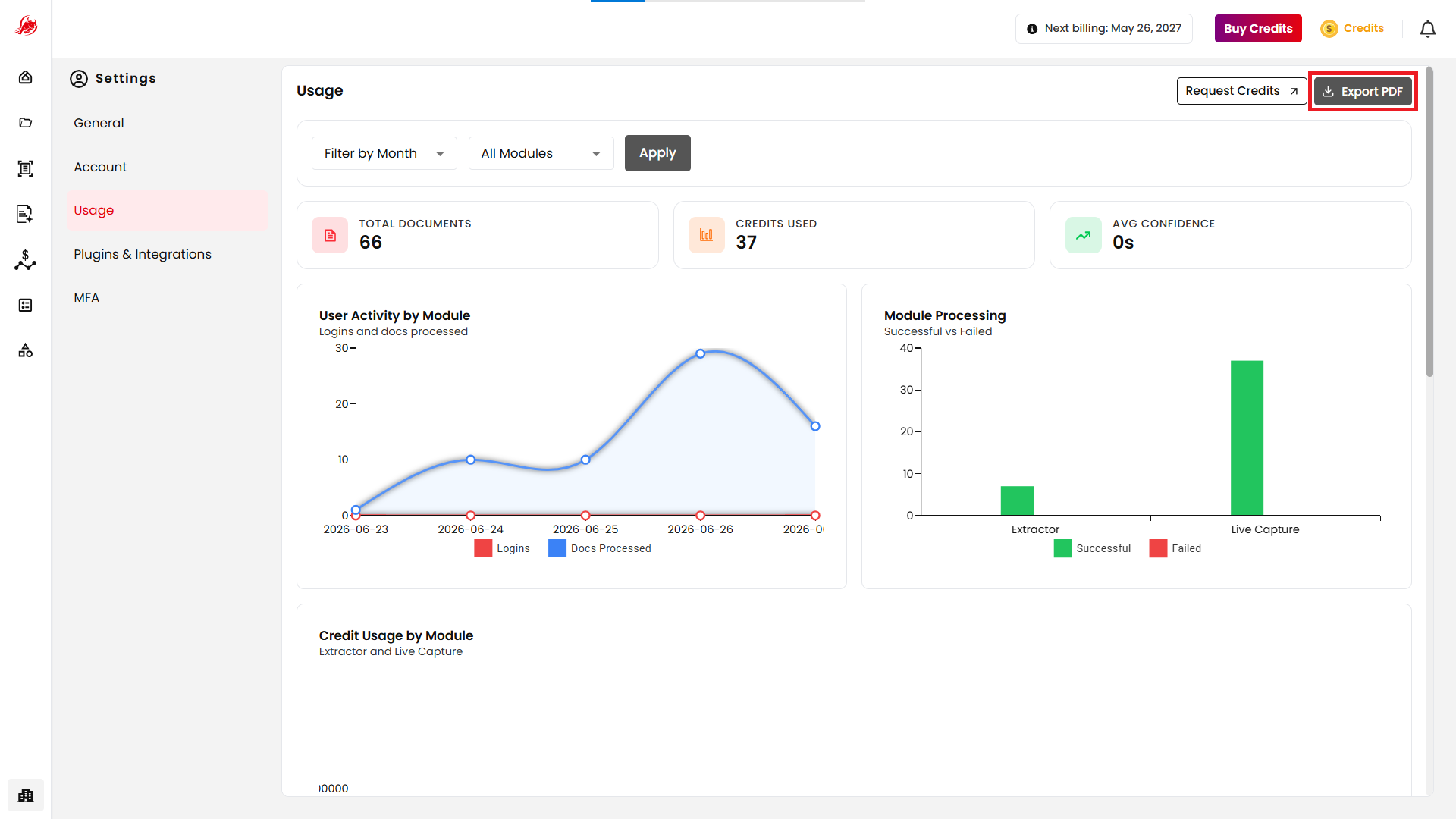
The top section of the dashboard provides a quick overview of key usage metrics.
| Metric | Description |
|---|---|
| Total Documents | Total number of documents processed during the selected period. |
| Credits Used | Total number of credits consumed across all selected modules. |
| Average Processing Time | Average time required to process a document — a signal of processing efficiency and overall system performance. |
User Activity
The User Activity chart provides a visual representation of platform engagement over time.
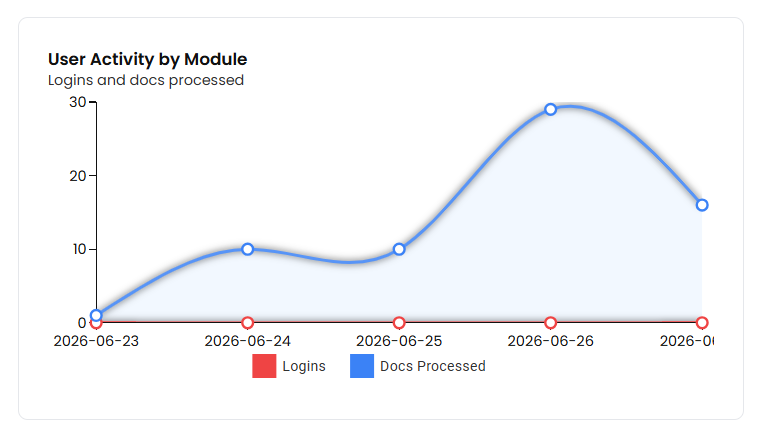
Metrics Tracked
- User Logins
- Documents Processed
This chart helps users understand usage trends and monitor activity levels within the selected date range.
Module Processing
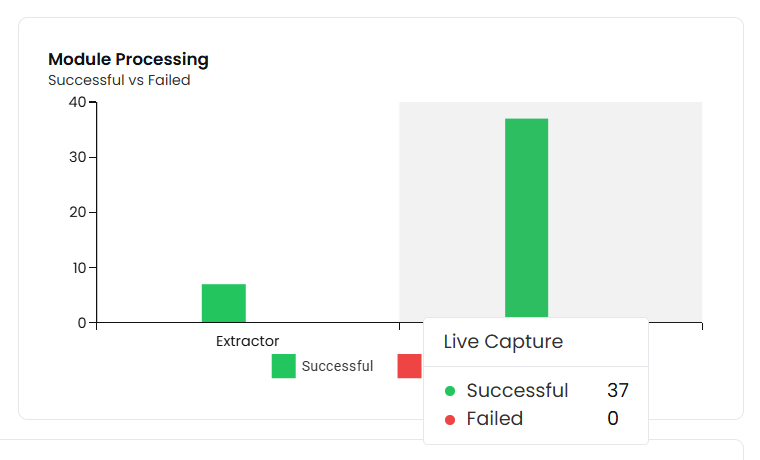
The Module Processing chart provides module-level processing statistics.
Processing Status
Documents are categorized into:
- Successful
- Failed
Supported Modules
Processing metrics are displayed for:
- Document Processing
- OCR
- Classification
- Extraction
- Summarization
This information helps users evaluate workflow performance and identify processing bottlenecks.
Credit Usage by Module
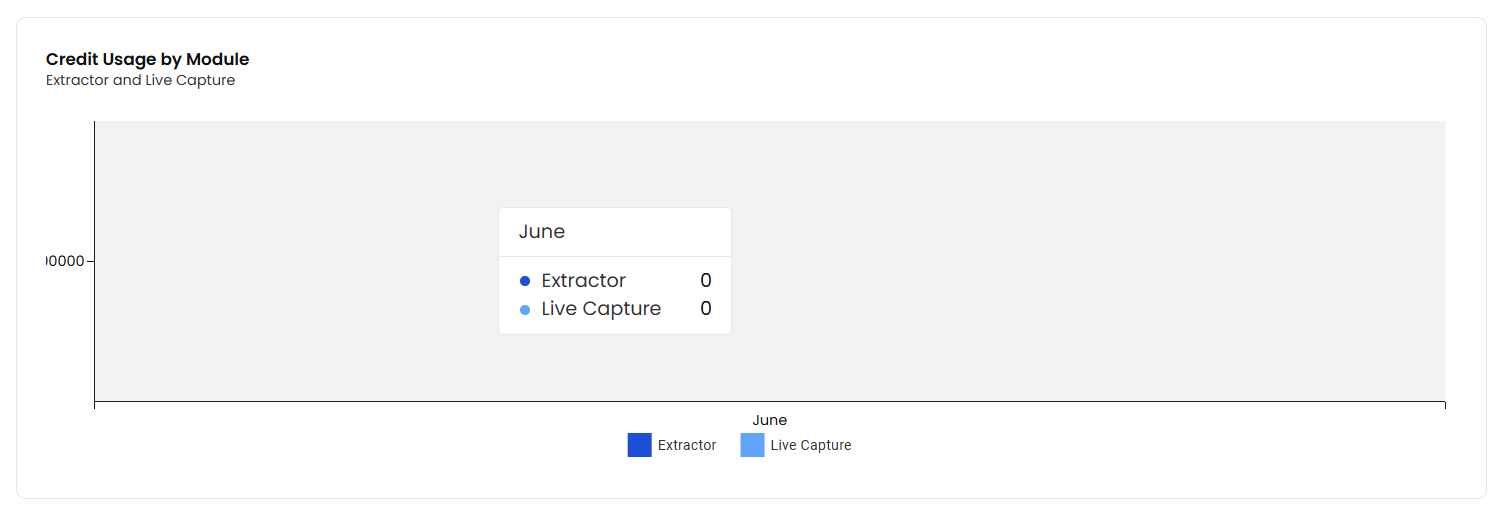
The Credit Usage by Module chart displays monthly credit consumption across different Regoxa modules.
Reporting Period
The chart displays credit usage for the previous six months.
Modules Tracked
Credit consumption may be displayed for:
- Extractor
- Live Capture
The chart helps users:
- Monitor credit utilization trends
- Identify high-consumption modules
- Plan future credit requirements
- Optimize processing workloads
Credits Status
The Credits Status section provides visibility into previously submitted credit requests.
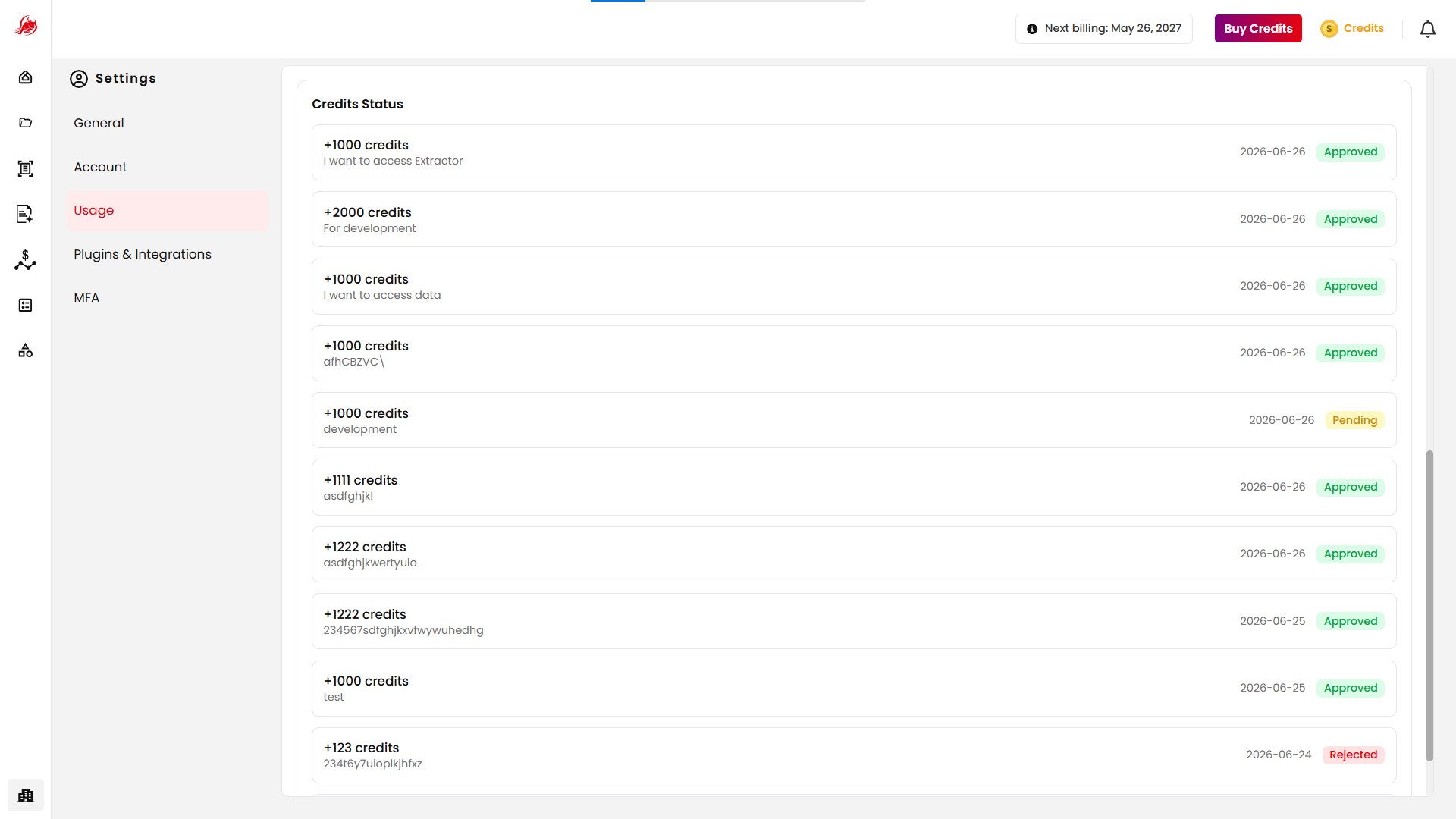
Each request includes:
- Number of credits requested
- Request description
- Request date
- Request approval status
Request Approval Status
Credit requests may have one of the following statuses:
| Status | Description |
|---|---|
| Approved | The requested credits have been approved and added to the account balance. |
| Pending | The request is awaiting review — neither approved nor rejected. |
| Rejected | The request was reviewed but was not approved. |
Export Usage Report
Users can export usage information by selecting Export PDF.
Exported Information
The generated report may include:
- Usage statistics
- Processing metrics
- Credit consumption details
- User activity data
- Module performance information
- Credit request history
Exported reports can be used for auditing, reporting, operational reviews, and capacity planning.