
Appearance
Usage
Track document processing activity, credit consumption, and module performance — all in one dashboard.
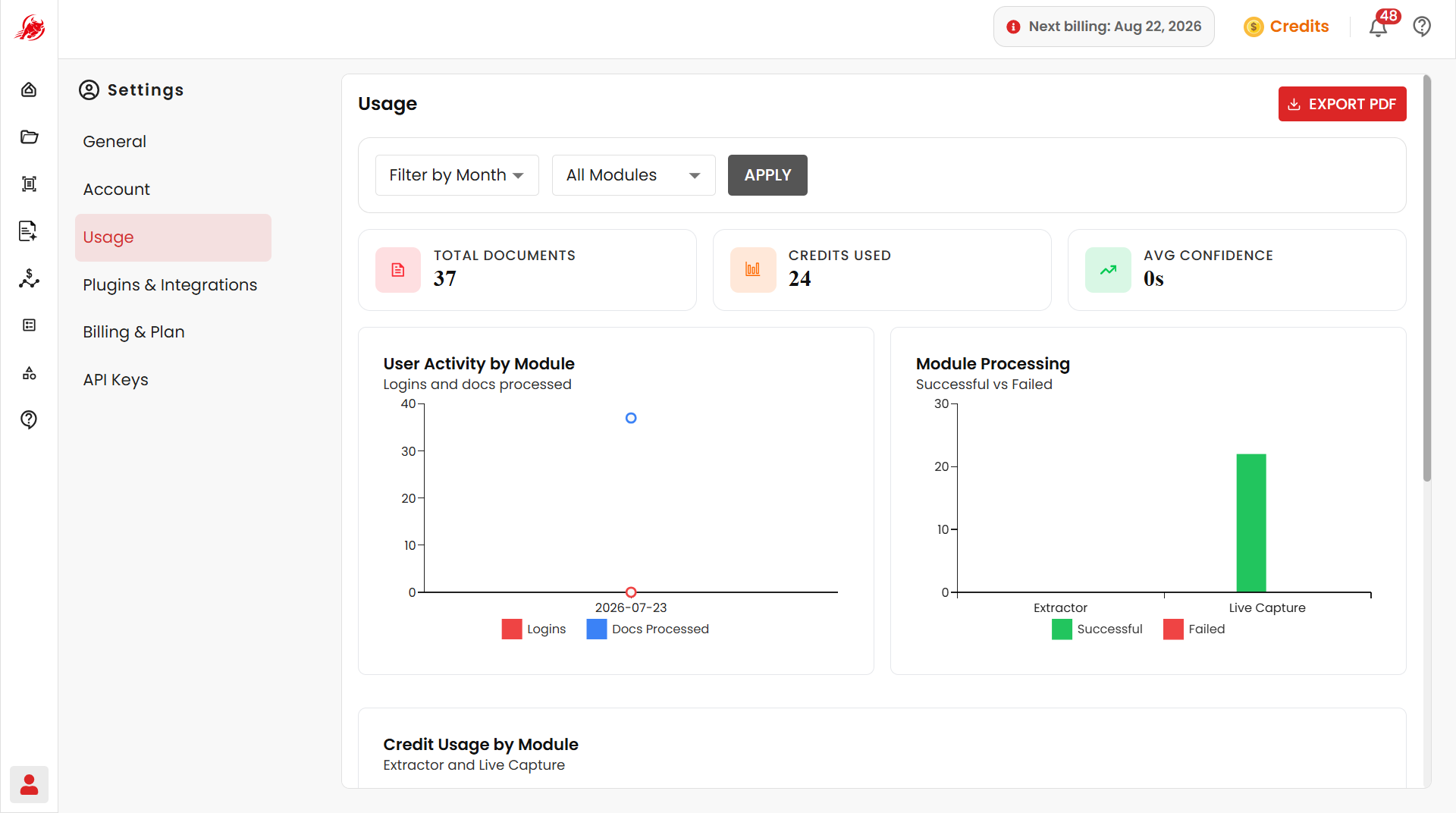
Filter the dashboard
Narrow the data down before you review it:
- Date range — pick a start and end date
- Module — filter by OCR, Document Processing, Classification, Extraction, Summarization, or All Modules
Click Apply to refresh the dashboard with your filters.
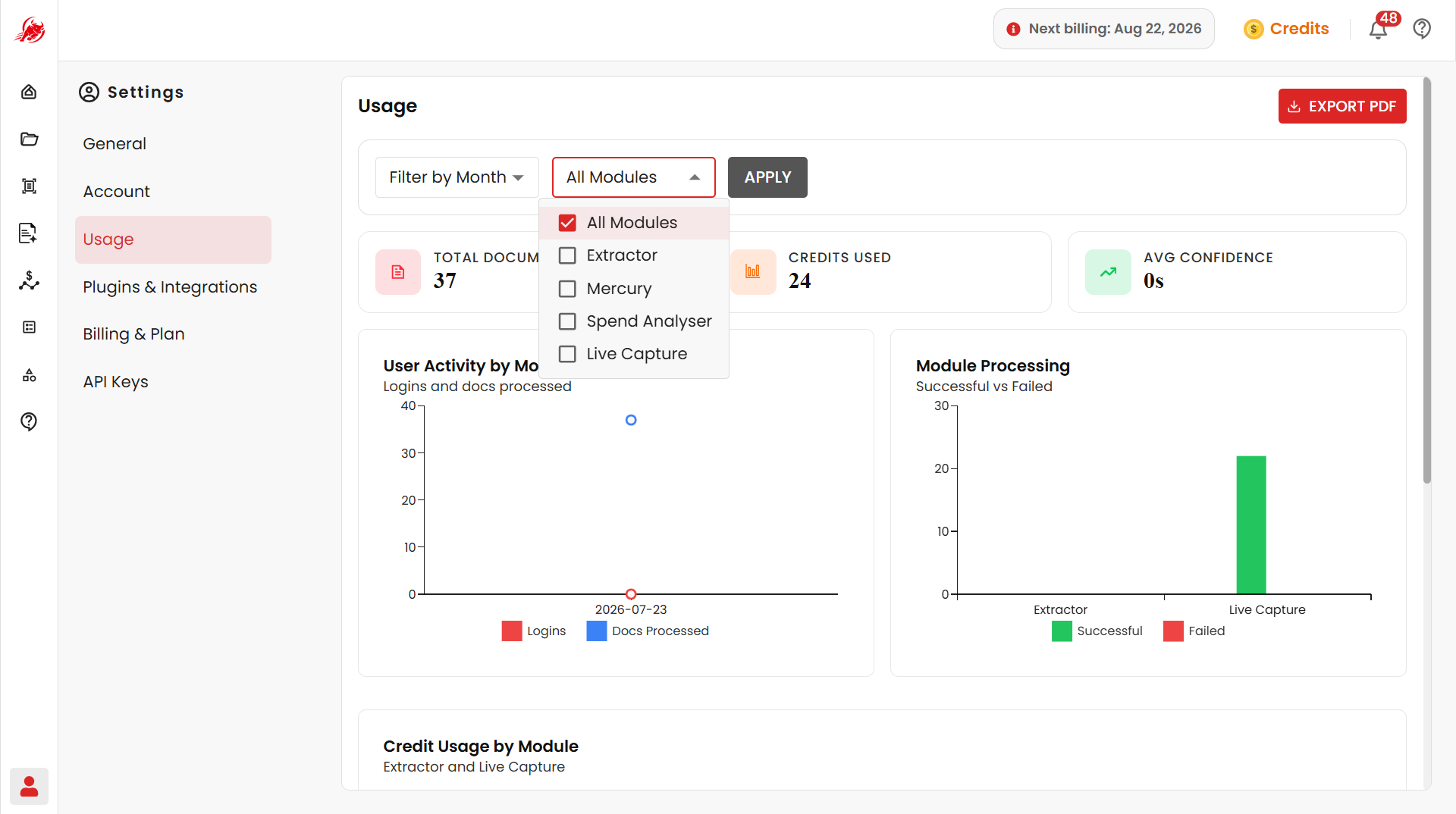
Usage summary
At the top of the dashboard:
| Metric | Description |
|---|---|
| Total Documents | How many documents were processed in the selected period |
| Credits Used | Total credits consumed across selected modules |
| Average Processing Time | How long a document typically takes to process |
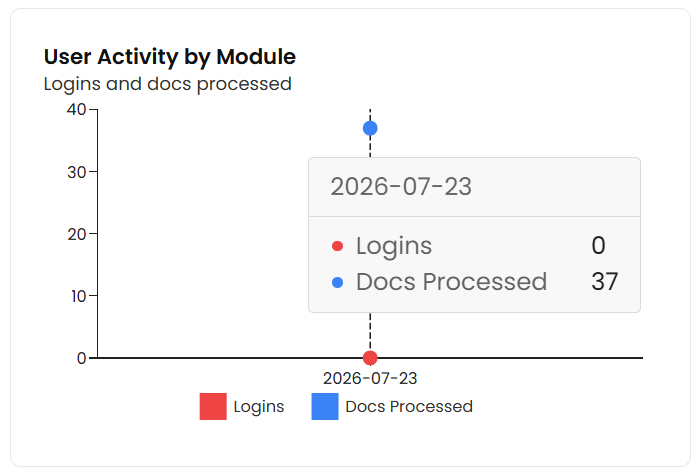
User activity
Tracks logins, actions, and documents processed over time, so you can spot usage trends.
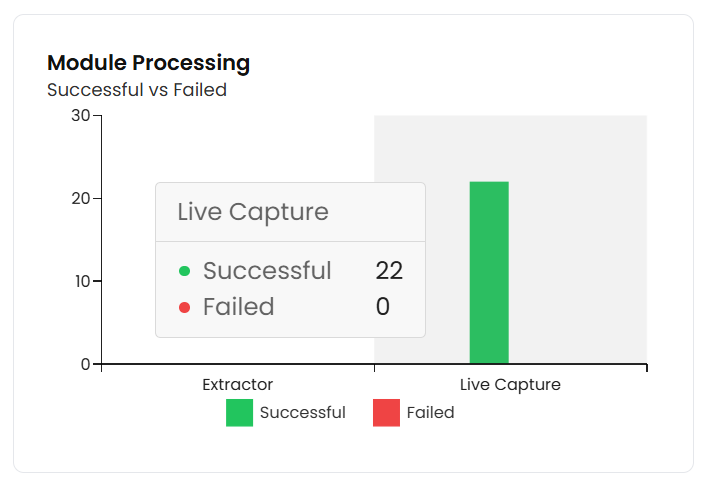
Module processing
Shows how many documents were Processed, Failed, or are Pending, broken down by module — useful for spotting bottlenecks.
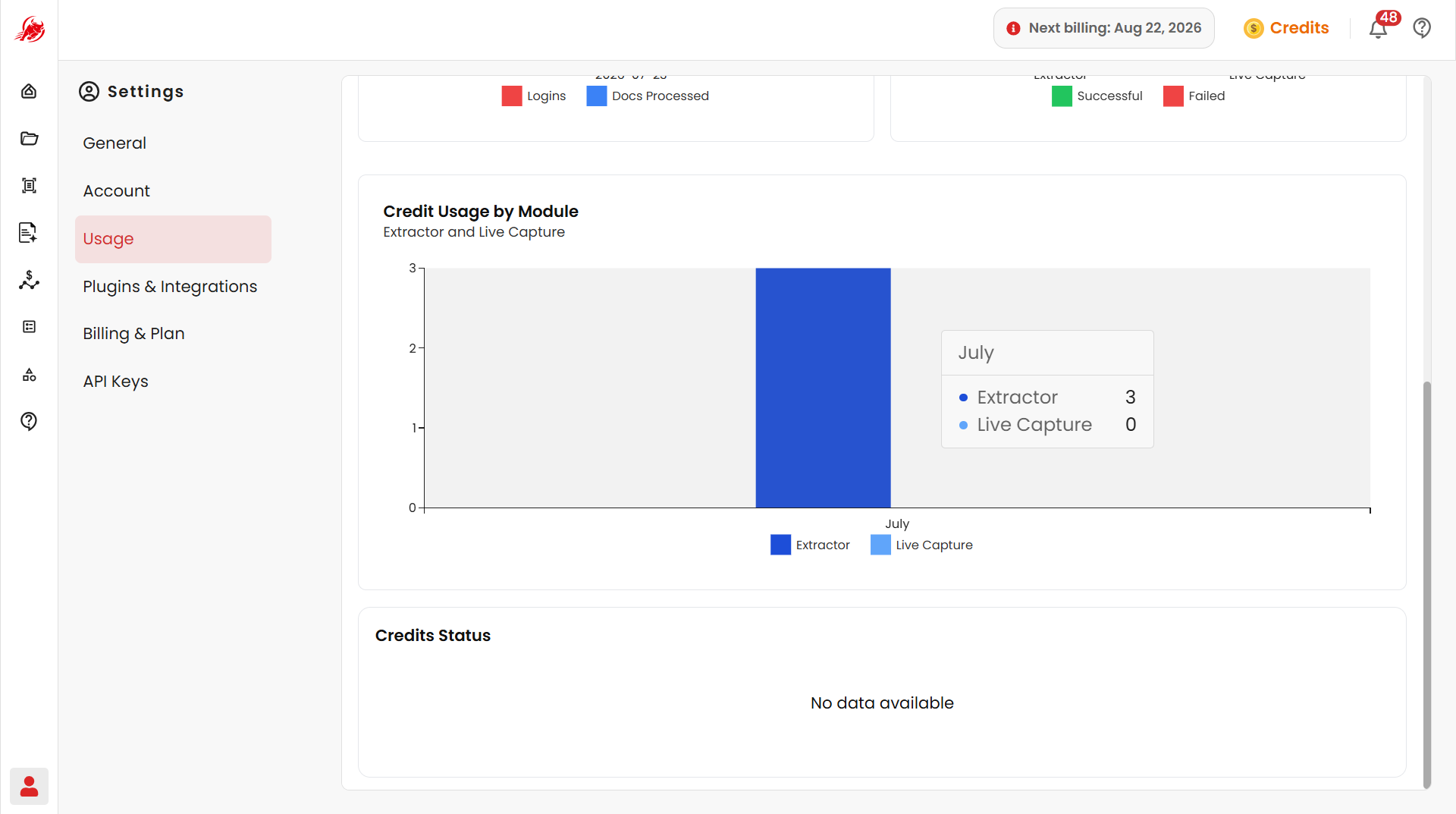
Credit usage by module
Shows monthly credit consumption per module (for example, Extractor or Live Capture), so you can spot high-usage modules and plan ahead.
Credit requests
See the status of credits you've requested — each entry shows the amount requested, a description, the date, and whether it was Approved or Rejected.
Export a usage report
Click Export PDF to download a report with your total documents, credit requests, and credits used — handy for audits and planning.
Related
- Billing & Plan — manage the subscription and credits behind your usage
- API Keys — see credits consumed via API access