Appearance
Audit Logs
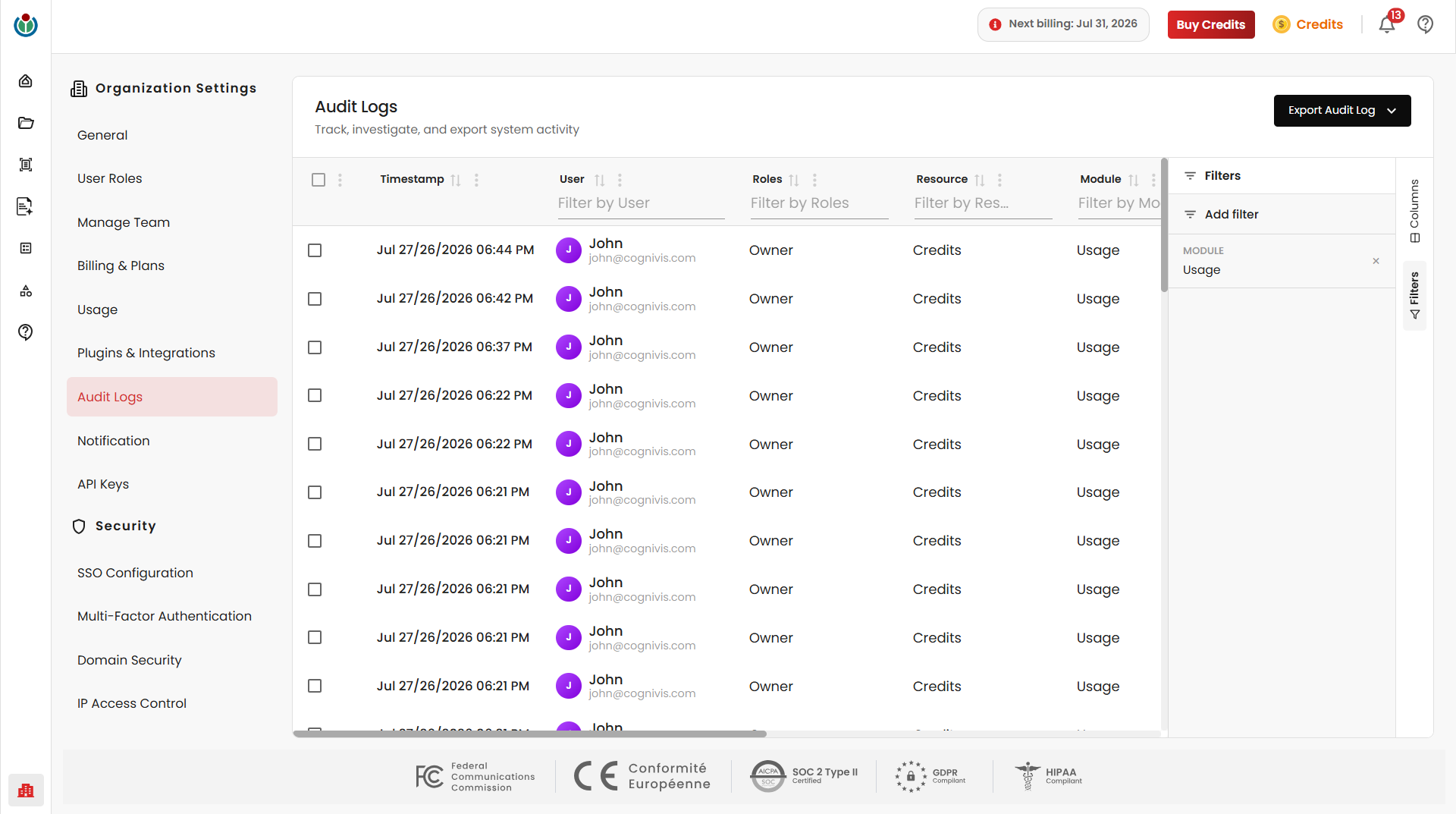
The Audit Logs page provides a centralized record of activities performed across the organization. It helps administrators monitor user actions, review configuration changes, investigate events, and export audit records for reporting and compliance purposes.
Audit Log Records
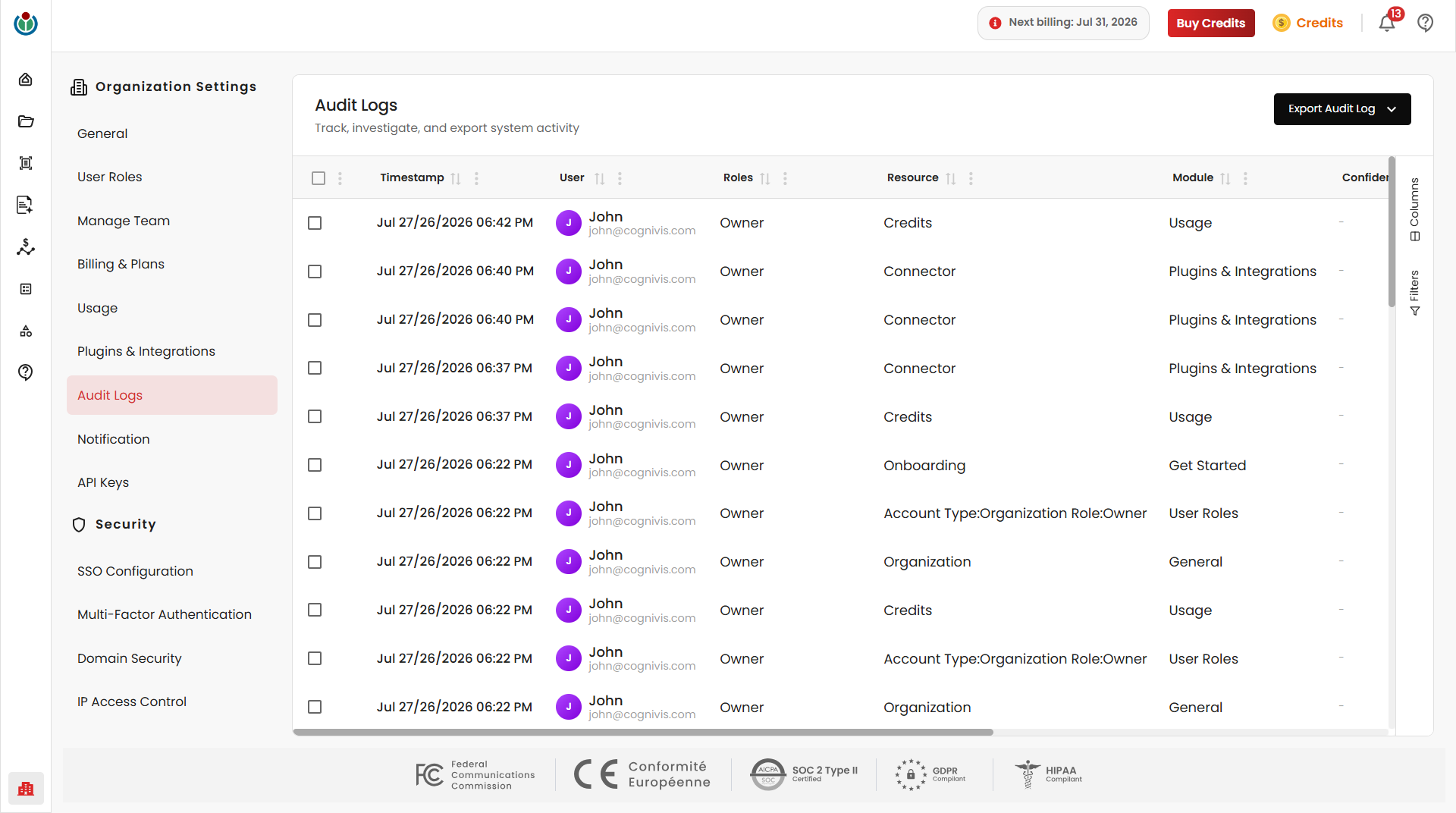
Every action performed within the platform is recorded as an audit event, across all modules of the application. Each record includes details such as the timestamp, user, role, resource, module, status, action, IP address, and device.
Activity Status
Each audit record displays the outcome of the performed action - Success, Failed and Pending.
Export Audit Logs
Administrators can export audit logs for reporting, investigation, or compliance purposes. The export feature supports exporting all available records, selected records, or filtered records.
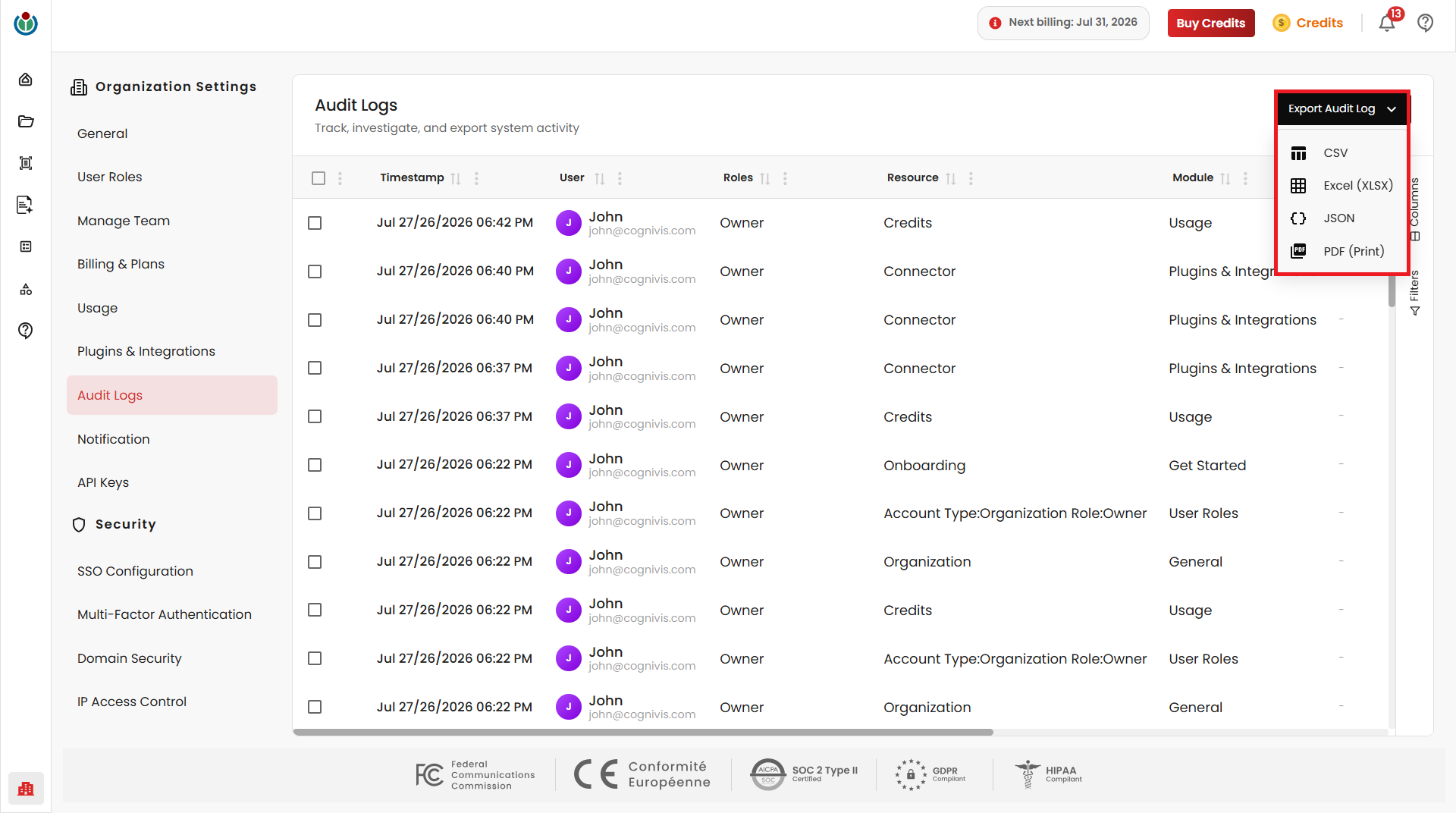
Click Export Audit Log to choose an export format.
Supported Export Formats
- CSV
- XLSX
- JSON
Filters
The Filters panel helps quickly locate specific audit records. Click Filters and then Add filter to apply one or more search criteria.
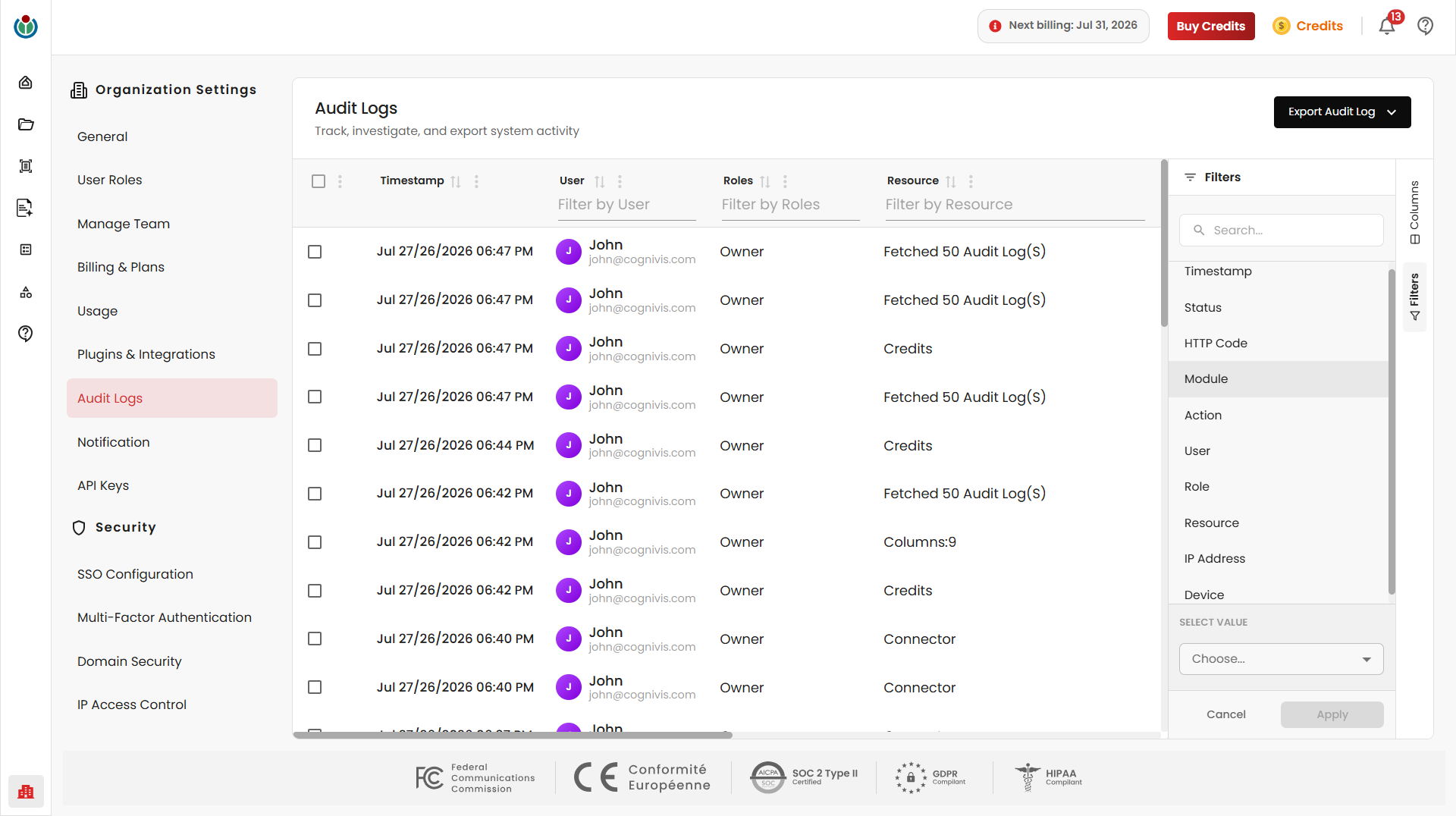
Audit logs can be filtered by Timestamp, Status, HTTP Code, Module, Action, User, Role, Resource, IP Address, and Device. Multiple filters can be applied simultaneously to narrow down results. Active filters can be removed individually or cleared when no longer needed.
Columns
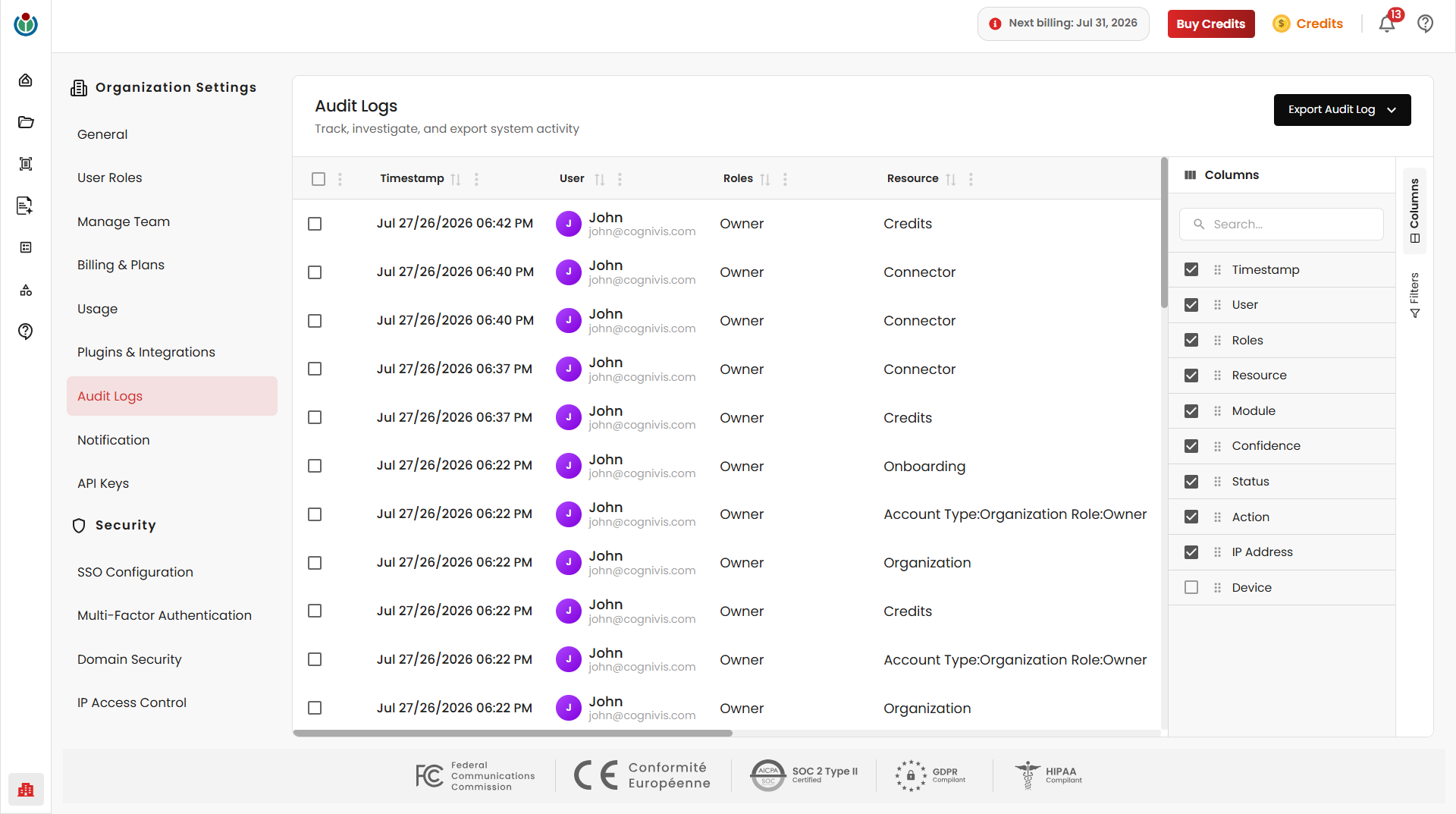
The Columns panel lets you customize which columns are shown in the audit log table. Click Columns, then select or deselect any column to apply the change.