
Appearance
General
The General section allows organization administrators to manage core organization information, branding, resource allocation, and support access.
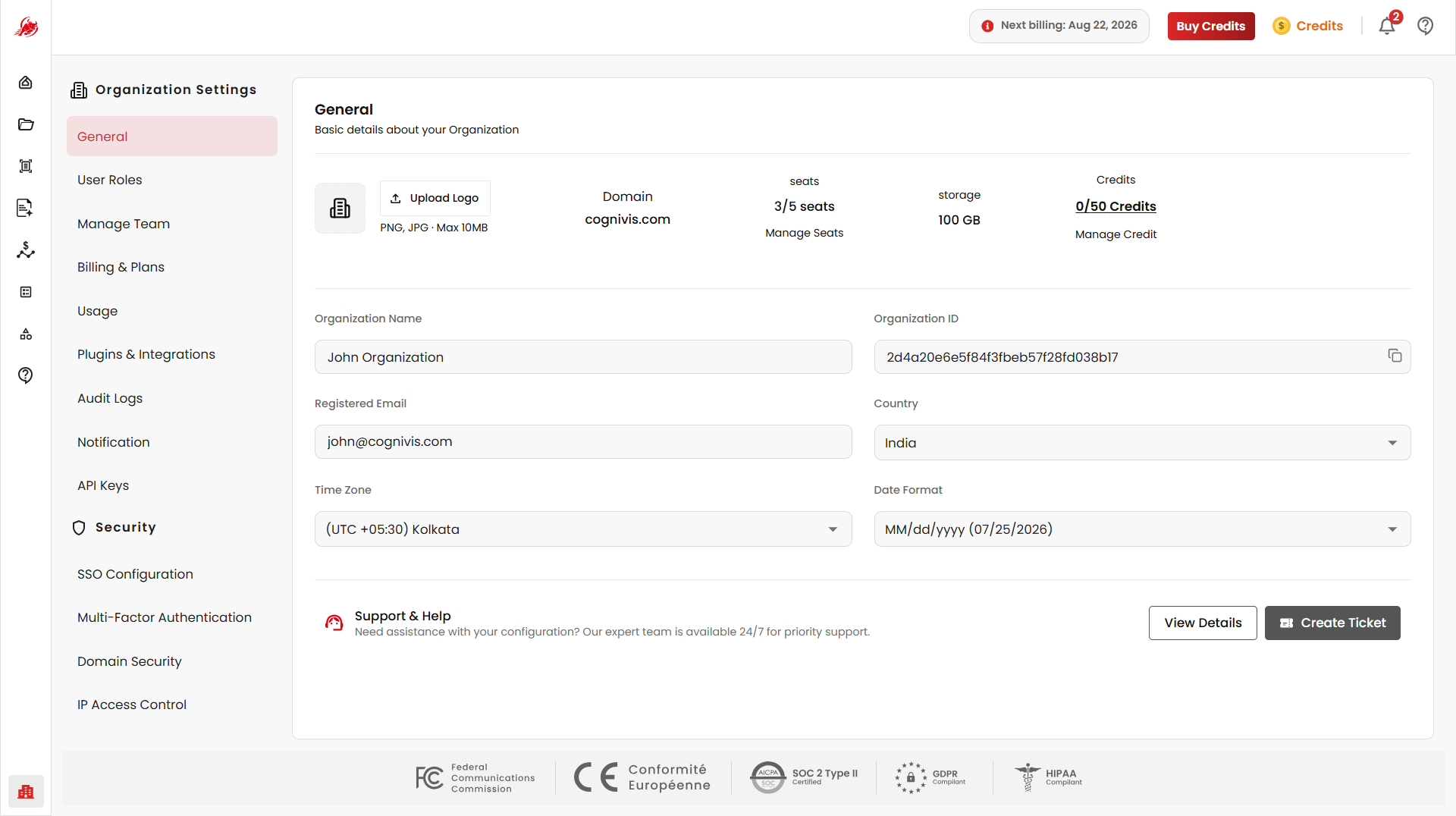
Upload Logo
Selecting Upload Logo opens the file picker to upload or replace the organization logo displayed across the platform. The uploaded logo is used for organization identity and branding throughout the application.
Supported Formats: PNG, JPG
Maximum File Size: 10 MB
Organization Resource Summary
Displays the current organization resource allocation and usage, including the domain, user seats, storage, and available credits.
Domain
Displays the organization domain associated with the account, used for identification and authentication mapping.
Seats
Displays the current user seat allocation. Seats determine how many users can access the organization workspace.
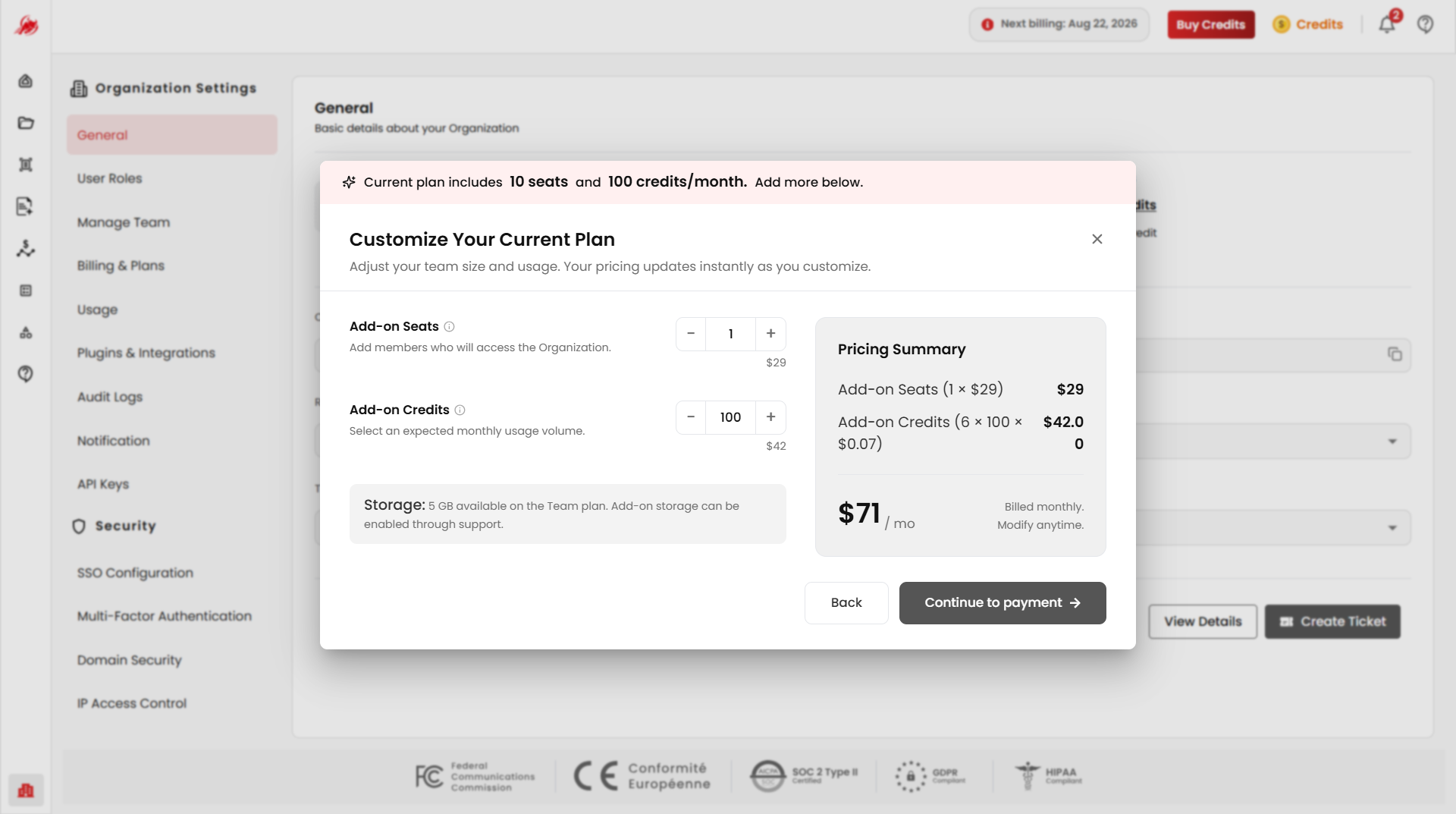
Manage Seats allows administrators to purchase additional user seats.
Credits
Displays the available OCR and AI processing credits for the organization. Credits are consumed when using services such as OCR processing, data extraction, AI operations, and classification workflows.
Manage Credit allows administrators to purchase additional monthly processing credits.
Selecting either Manage Seats or Manage Credit opens the same subscription customization popup, where the number of add-on seats and credits can be increased or decreased. The pricing summary updates automatically based on the selected quantities.
Storage
Displays the currently allocated storage capacity used for uploaded documents, extracted files, templates, and workspace data.
Manage Storage allows administrators to purchase additional storage capacity.
Organization Information
Displays and manages the organization's core account details.
| Field | Description |
|---|---|
| Organization Name | The display name of the organization. This value can be updated at any time. |
| Organization ID | A unique system-generated identifier assigned to the organization. This value is read-only and can be copied. |
| Registered Email | The primary email associated with the organization account, used for communication, billing notifications, security alerts, and recovery workflows. |
| Country | Defines the organization region. This setting may affect billing configuration, compliance settings, and regional defaults. |
| Time Zone | Defines the default organization time zone used for audit logs, reports, scheduled operations, notifications, and workflow timestamps. |
Support & Help
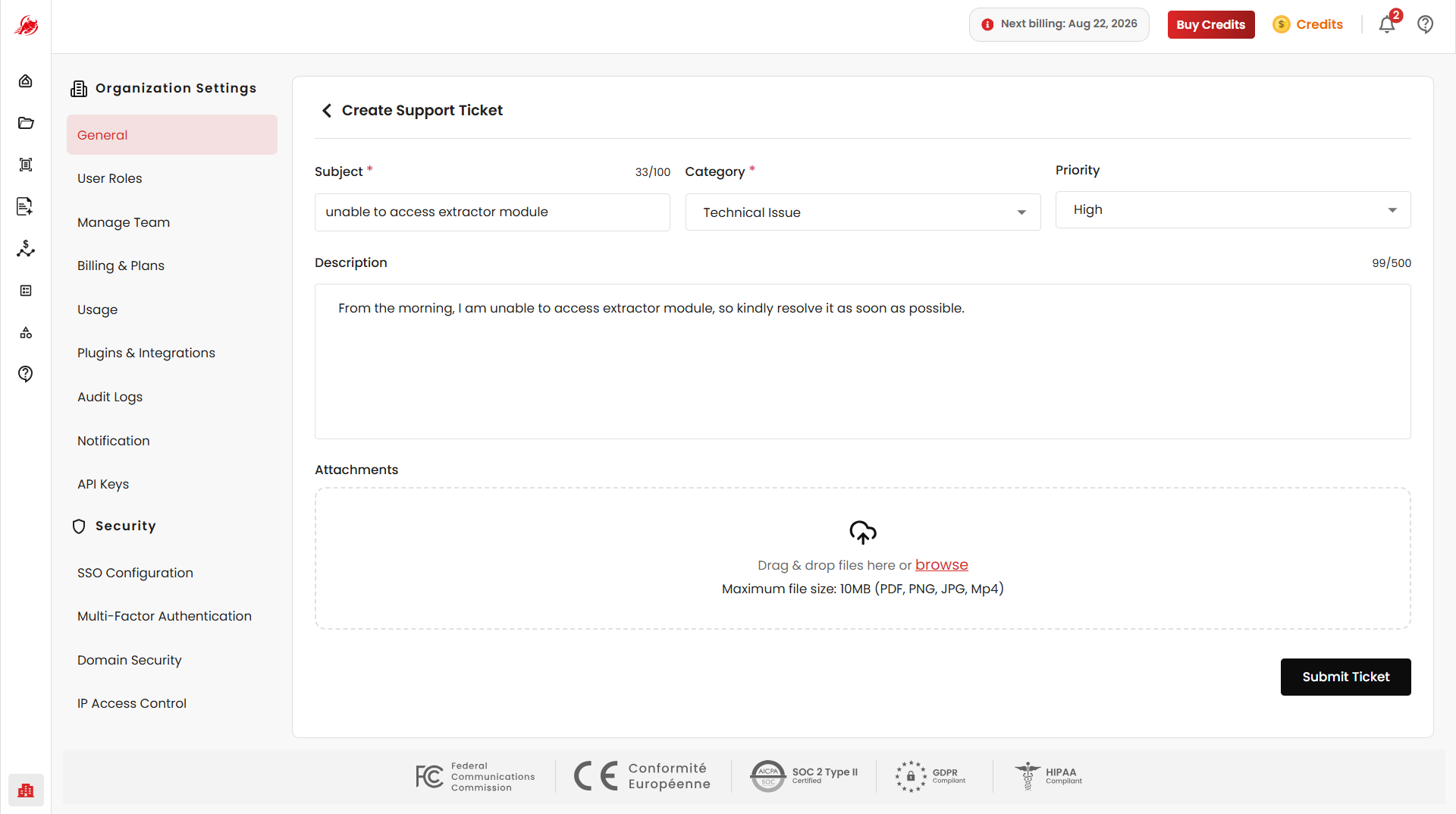
From the General page, administrators can raise new support tickets for technical issues, billing support, configuration assistance, or platform-related queries.
Previously submitted tickets can also be viewed to track their status and resolution updates.
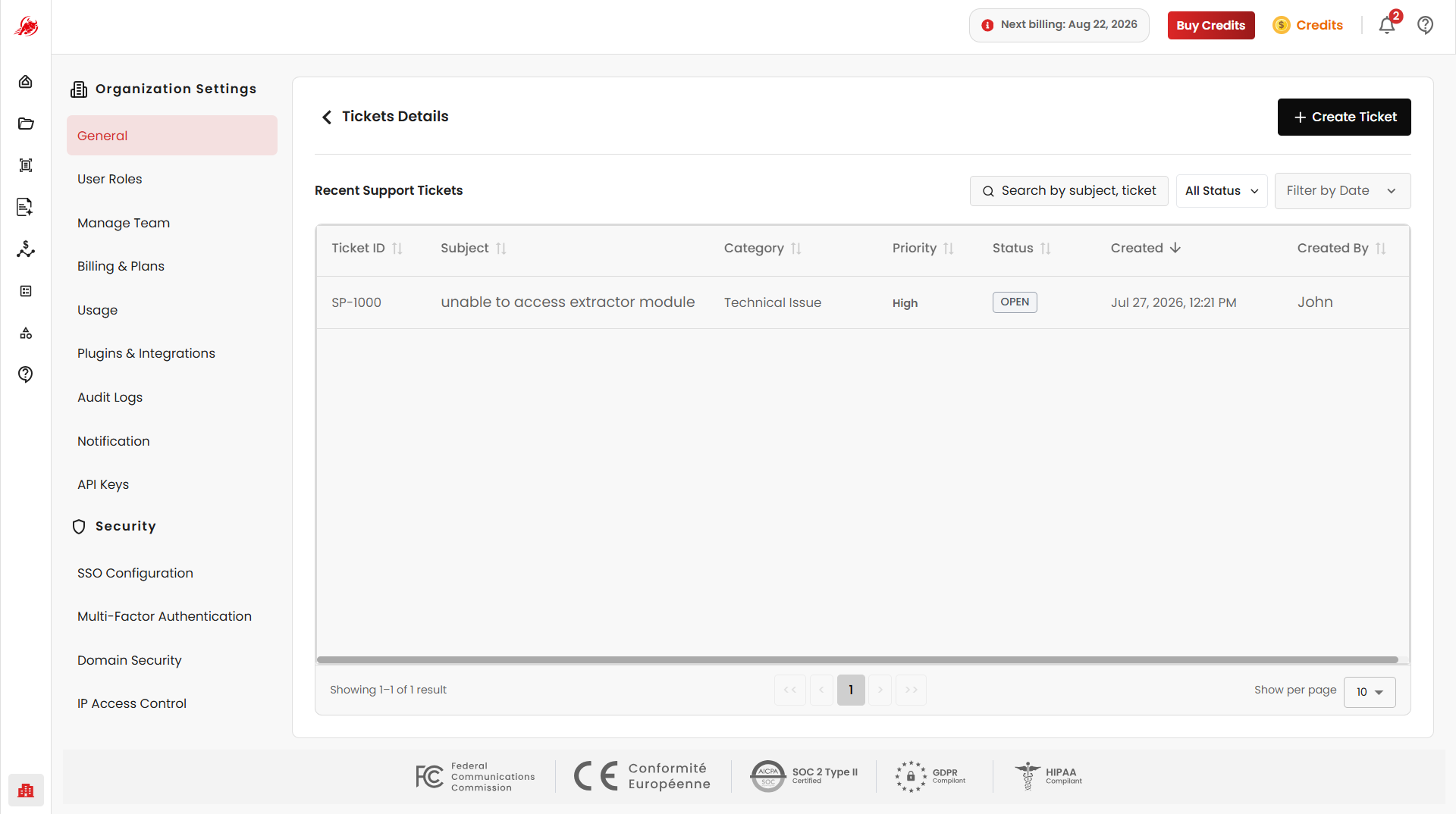
See the Support module for more information on raising tickets, tracking their status, and replying to the support team.
Best Practices
- Billing & Plans — manage subscriptions, invoices, and payment methods
- Usage — track credit consumption and processing activity