
Appearance
Usage
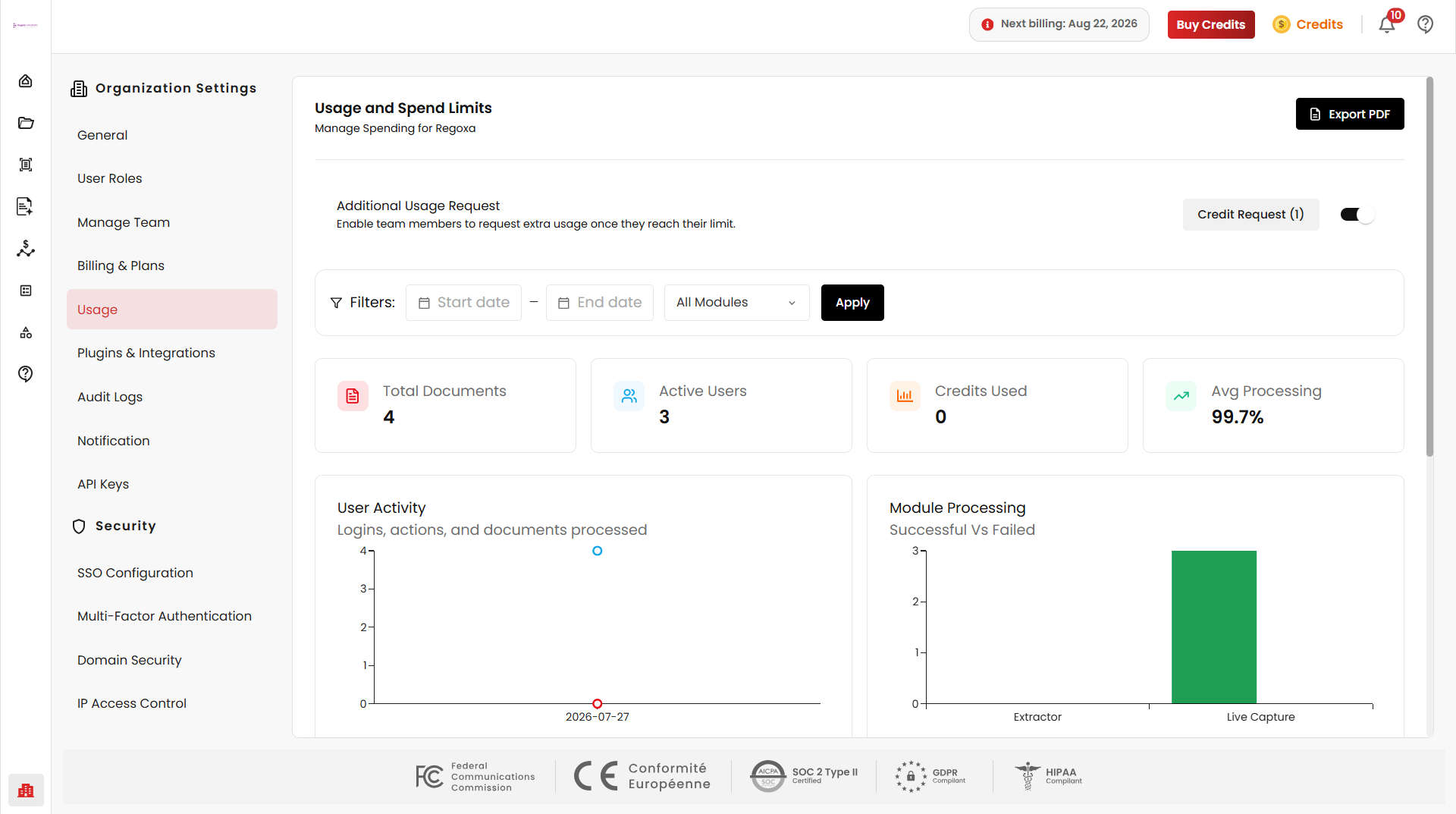
The Usage page provides detailed insights into organization-wide platform activity, credit consumption, processing performance, and resource utilization.
Administrators can monitor document processing trends, analyze module activity, track credits, and review overall platform usage across teams and services.
Export PDF
Selecting Export PDF generates a downloadable usage report to help organizations maintain reporting records and operational documentation.
Credit Requests
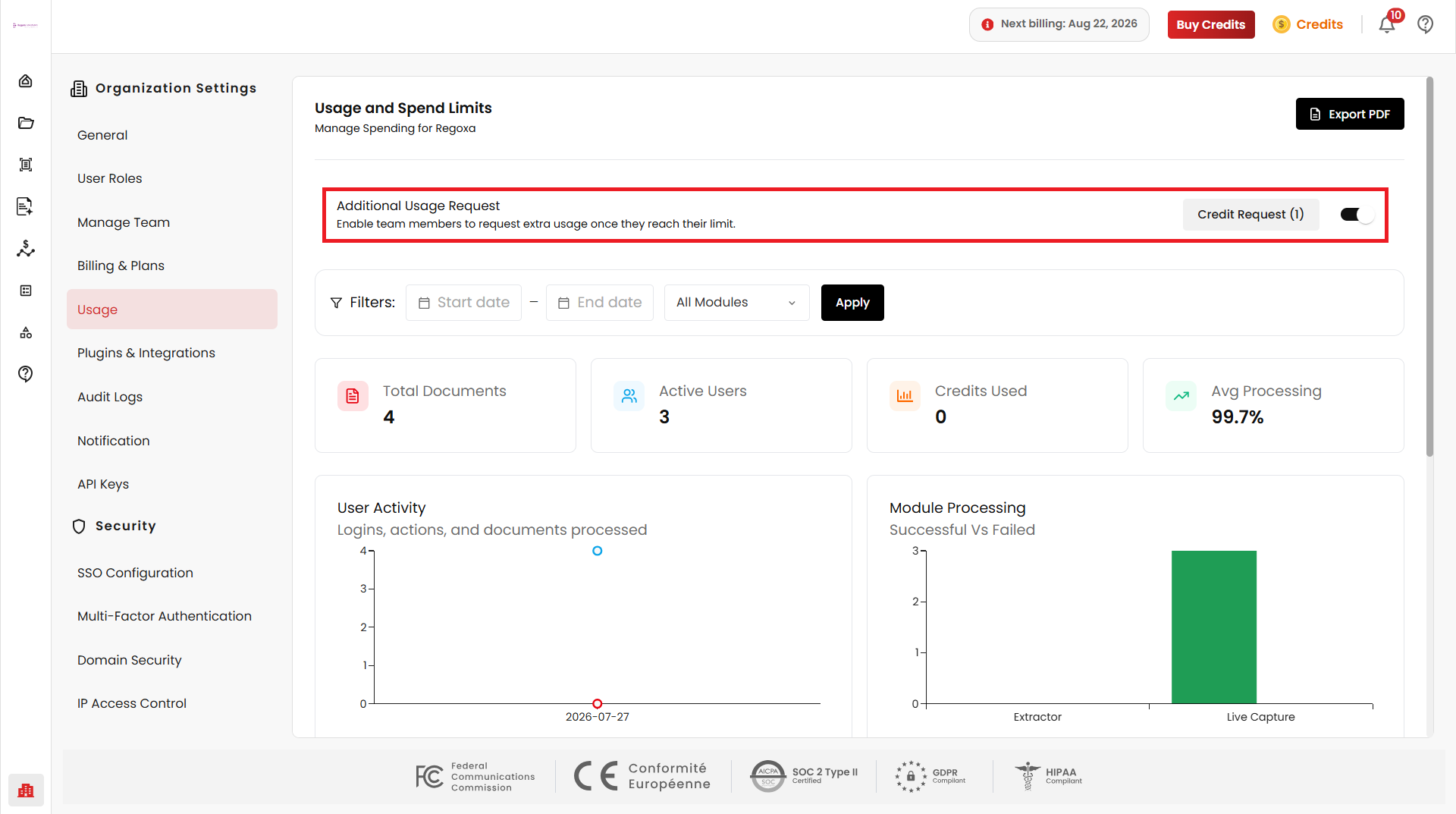
The Additional Usage Request feature allows organization members to request additional credits when they reach their allocated usage limit. Administrators can review and approve submitted requests.
Enable Credit Requests
Administrators can allow members to request additional credits by enabling the Additional Usage Request option. Once enabled, members can submit credit requests from their personal Usage page, and administrators can approve or reject them.
Disable Credit Requests
Disabling the Additional Usage Request option prevents members from submitting credit requests from their personal Usage page.
Request Credits
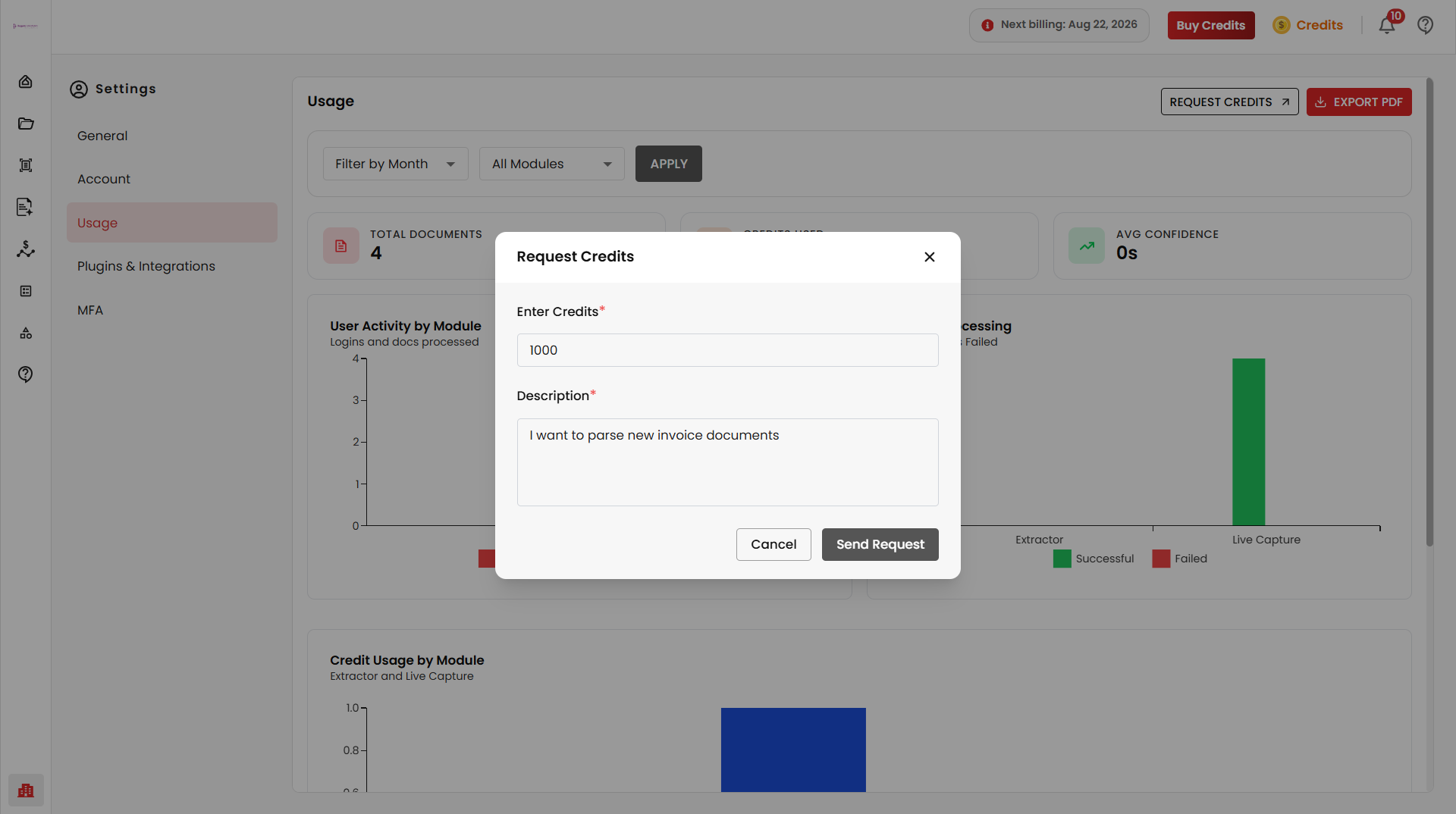
Administrators can request additional credits directly from the Usage page by selecting Request Credits.
Approving Credit Requests
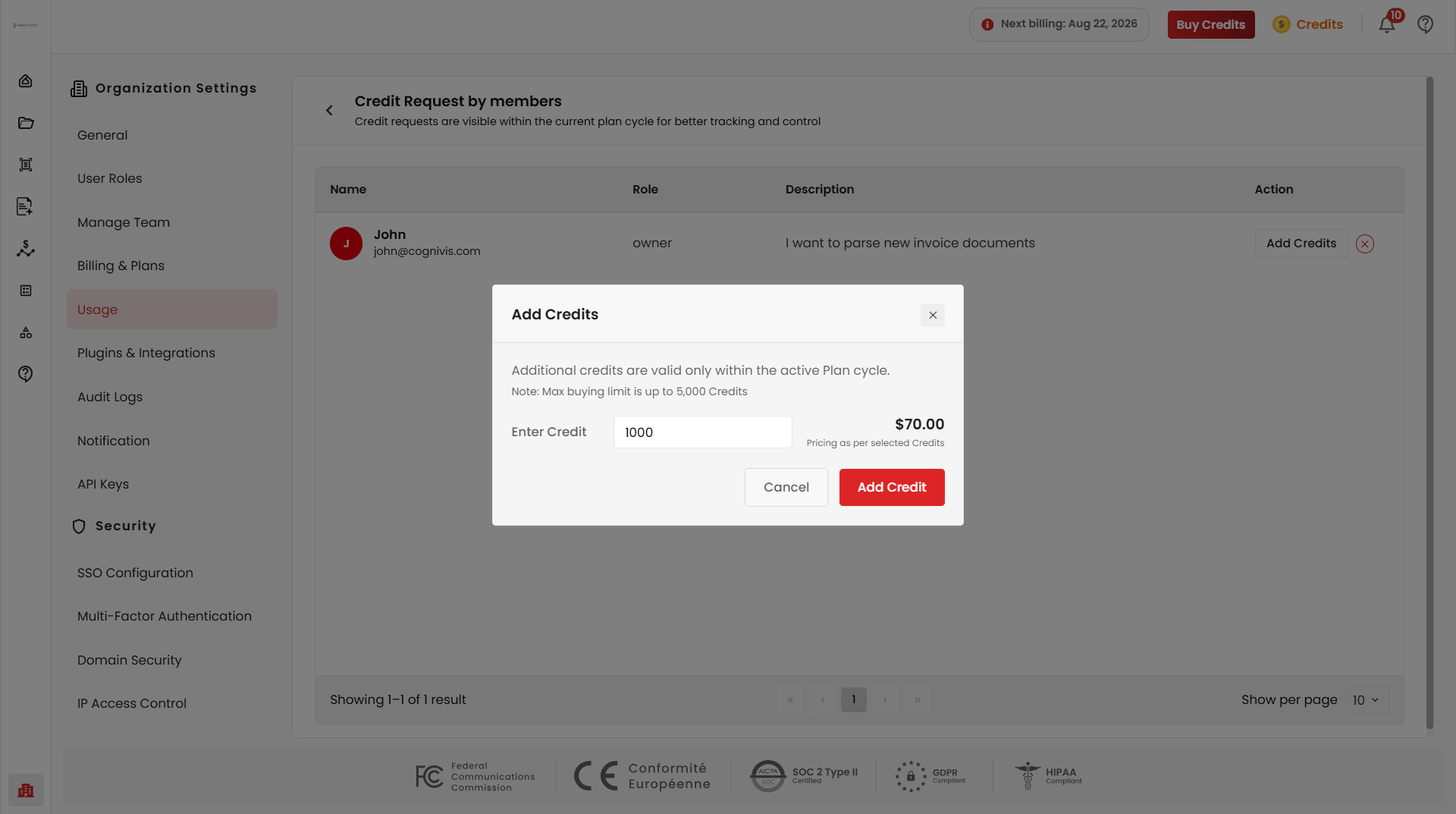
Administrators can select Add Credits to purchase credits for a requesting member. Specify the required number of credits — the total cost is calculated automatically based on the selected quantity.
Request Status
Once credits have been successfully purchased, the request status is automatically updated, such as Pending, Approved and Rejected.
Usage Filters
The Usage page includes filtering options to analyze activity for specific periods and modules. Click Apply to apply the selected filters.
Date Range Filter
Usage data can be filtered by selecting a Start Date and End Date to review activity for custom reporting periods.
Module Filter
Usage can be filtered by module to analyze module-specific activity and processing behavior. Available modules may include Document Processing, OCR, Classification, Extraction, and Summarization.
Usage Summary Cards
The dashboard displays key usage metrics for quick monitoring.
Total Documents
Displays the total number of documents processed within the selected time period.
Credits Used
Shows the number of platform credits consumed across processing activities.
Active Users
Displays the number of active users within the selected time period.
Average Processing Time
Displays the average processing duration per document, helping organizations evaluate operational efficiency and system performance.
User Activity
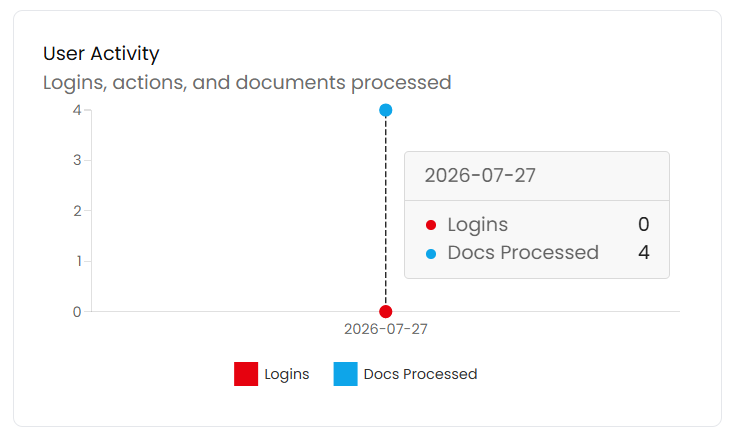
The User Activity graph provides insights into organization activity trends, including user logins, actions performed, documents processed, and daily processing activity.
Module Processing
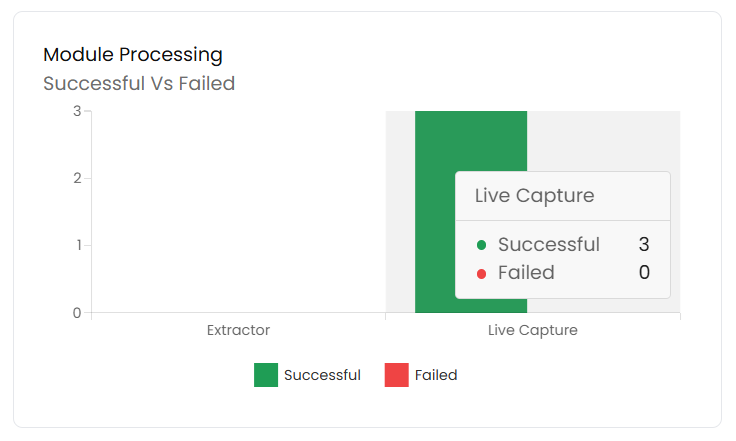
The Module Processing graph visualizes processing outcomes across modules, categorized as Successful, Failed, or Pending. This helps identify operational bottlenecks and processing reliability.
Credit Usage by Module
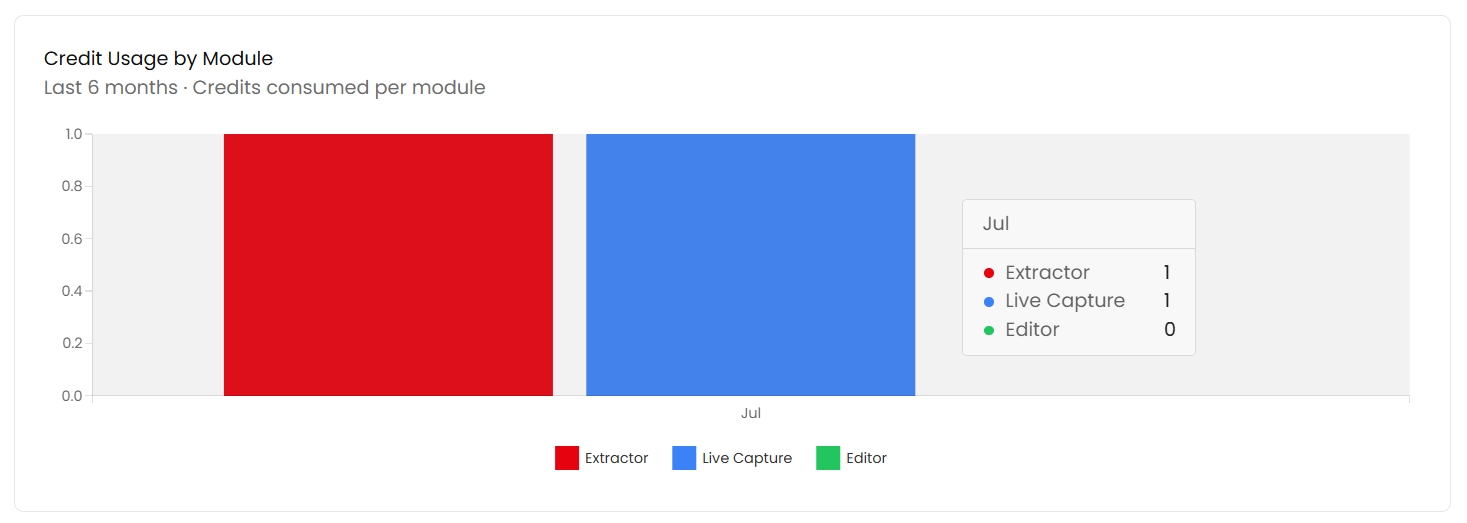
The Credit Usage by Module graph displays monthly credit consumption across modules.
Benefits
The Usage page helps organizations:
- Monitor processing activity
- Analyze operational performance
- Track module utilization
- Review processing success and failures
- Monitor credit consumption
- Generate usage reports
- Request additional credits
- Improve resource planning
- Optimise platform usage
Related
- Billing & Plans — manage subscriptions and purchase additional credits